
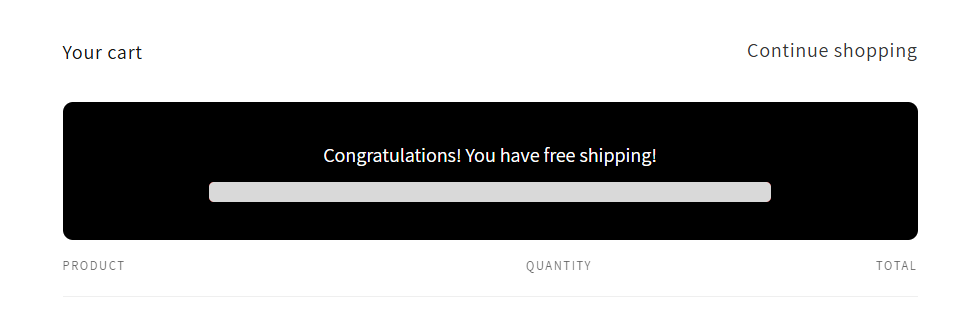
The Free Shipping Progress Bar feature lets you display a live indicator on your store that shows customers how close they are to receiving free shipping. You can enable or disable the feature for each market individually.
Enabling Free Shipping by Market
To turn on the progress bar for any market:
In your Shopify admin, go to MarketWise Merchandiser > Free Shipping Progress Bar from the left sidebar.
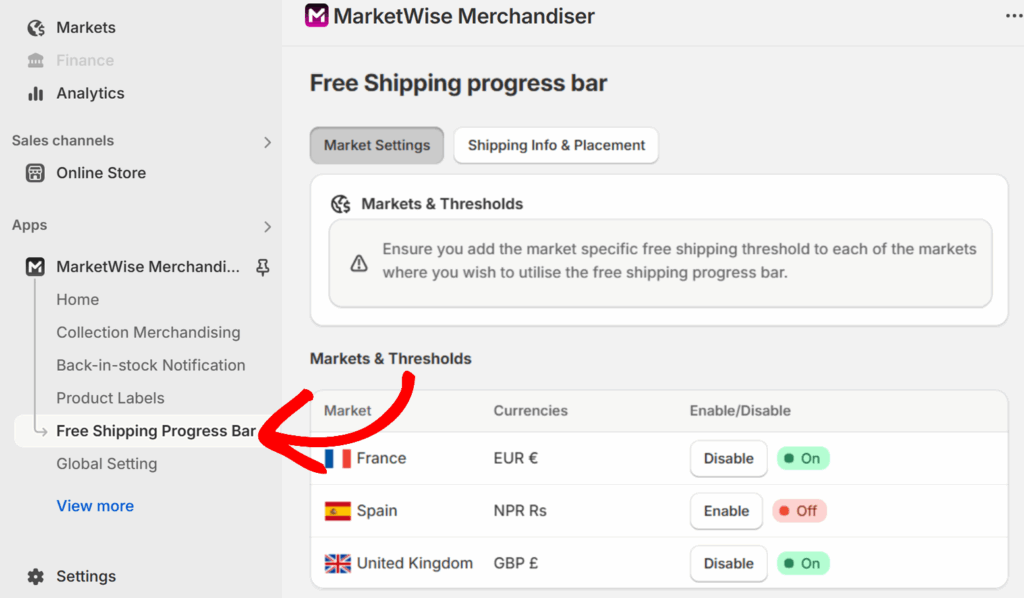
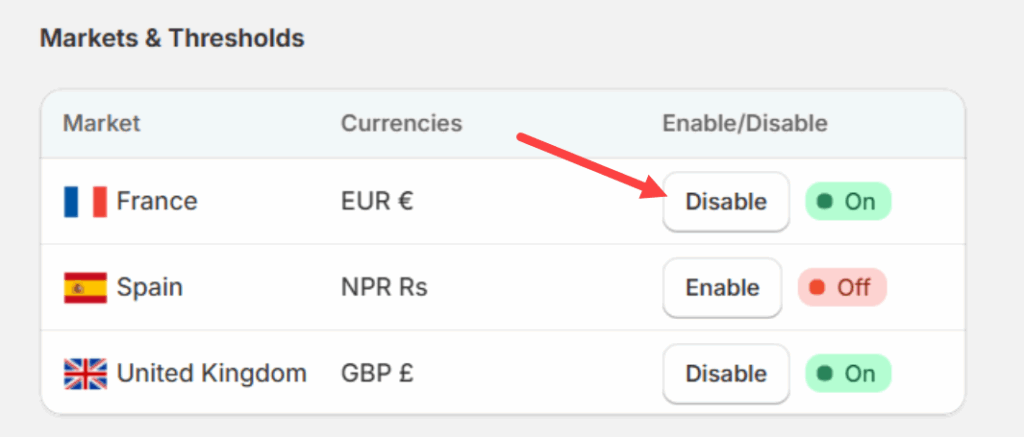
Then, locate the market you want to update and toggle the Enable/Disable button to enable for that market.
Click Save at the bottom of the page to apply your changes.
You must also set a threshold for each market to fully activate the progress bar. Without this, the feature will not display.
Setting Free Shipping Thresholds by Market
You can define the minimum purchase amount required for customers in each market to receive free shipping. This is controlled through the Global Setting tab in your app’s sidebar.
To set threshold for a market, go to Apps > MarketWise Merchandiser > Global Setting from the app admin page.
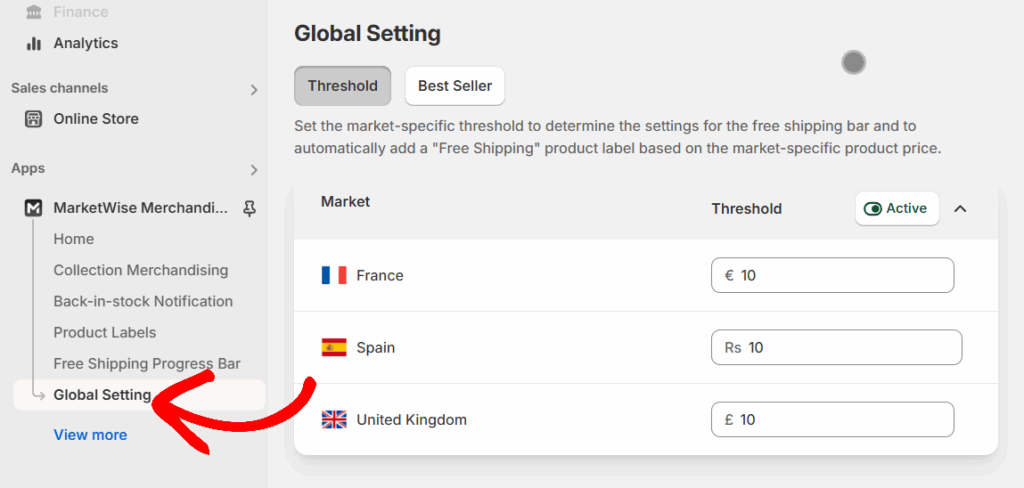
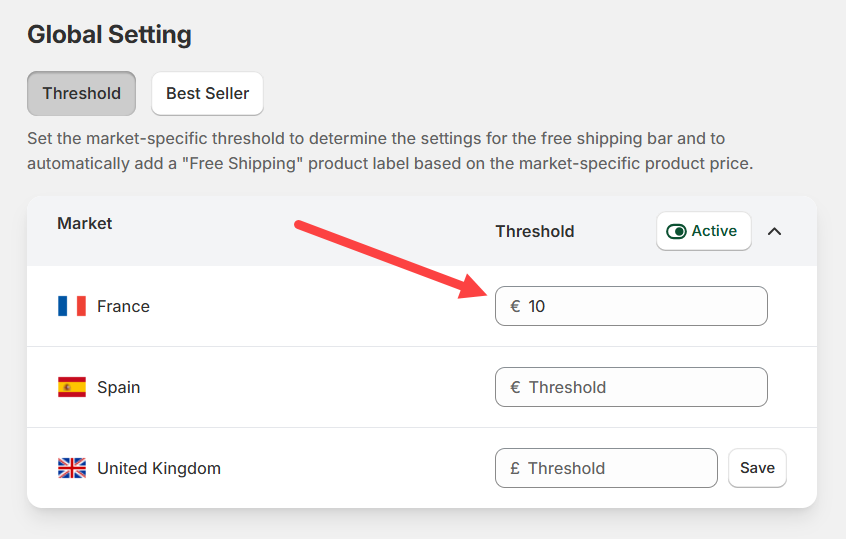
In the Global Setting page, each market listed will have a corresponding threshold field. This value determines the cart total a customer must reach to qualify for free shipping in their region.
Once you’ve located the market you want to configure, enter the desired free shipping threshold using the appropriate currency in the Threshold field.
For example, if you enter €10 for France, customers in France must spend at least €10 to qualify for free shipping.
Activating or Deactivating the Threshold Feature
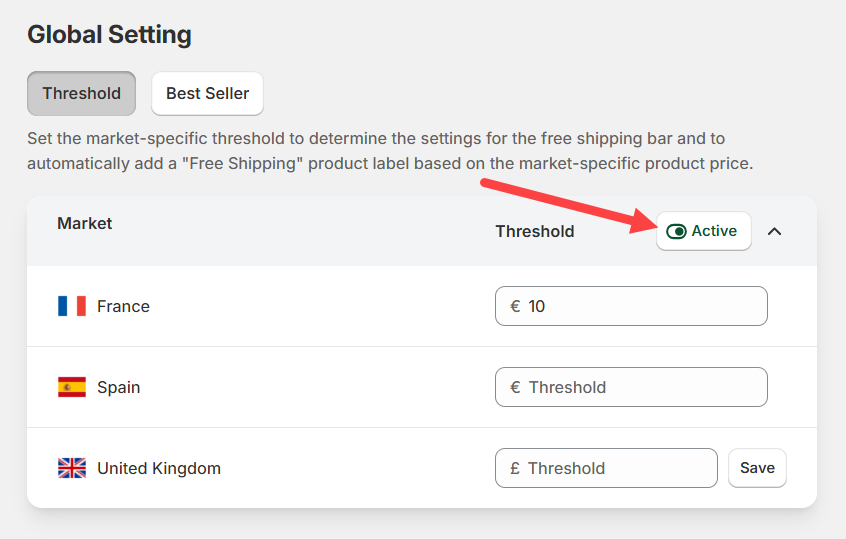
Use the toggle at the top-right corner of the table to activate or deactivate the threshold logic across all markets.
- Active: Thresholds will be enforced and connected to the free shipping progress bar and labels.
- Inactive: No thresholds will be applied.
Note: These thresholds work in coordination with the “Free Shipping” product label. Make sure you configure that feature as well for a complete setup.
For more details on customizing the appearance of the Free Shipping Progress Bar, check out our guide on how to customize the Free Shipping Progress Bar.
How Free Shipping Works on the Storefront
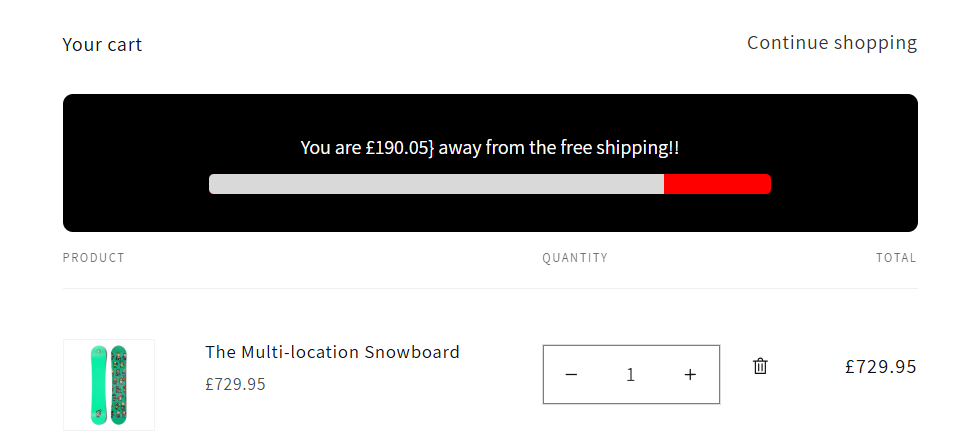
Once enabled and a threshold is configured, the progress bar will appear on your storefront whenever a customer adds a product to their cart.
- If the cart total is below the market-specific threshold, the bar will show how much more is needed to qualify for free shipping.
- If the cart total meets or exceeds the threshold, the bar will display a confirmation message that free shipping is unlocked.
This helps boost conversions by encouraging customers to add more items to their carts.
You’re now ready to set the threshold values for each market. See the next guide on Customizing Free Shipping Progress Bar for more details on more customization options.