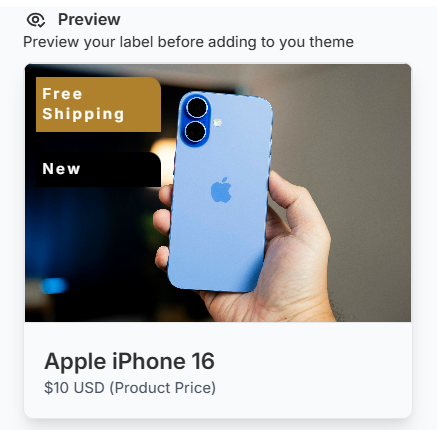
Product Labels let you highlight key promotions on your products by adding tags like Sale, Best Seller, New, and Free Shipping. You can choose which labels to enable for each market individually.
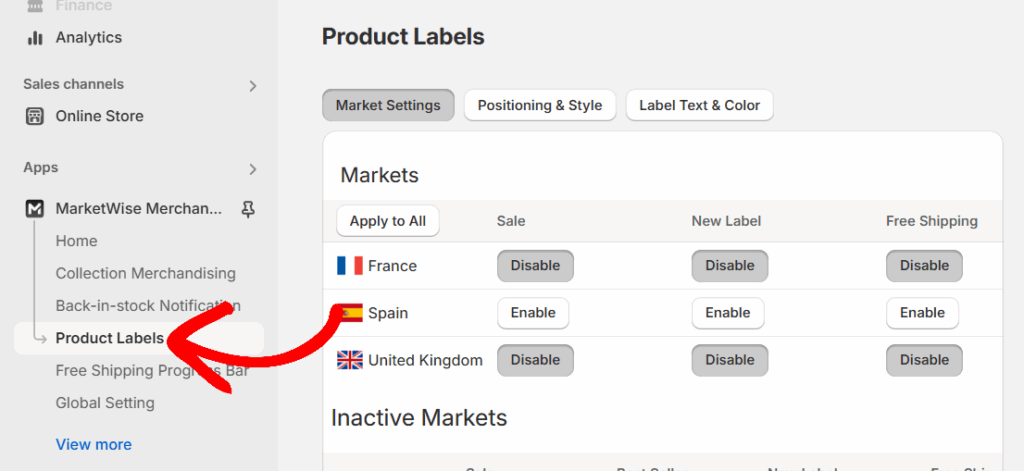
To get started, click on Product Labels from the left sidebar of your Shopify admin.
Enabling Labels for Specific Markets
Under the Markets section, you’ll see a list of all your active and inactive markets.
For each active market, you’ll have the option to enable or disable the following labels:
- Sale
- New Label
- Free Shipping
To activate a label, click the Enable button next to it. To turn it off, click Disable.
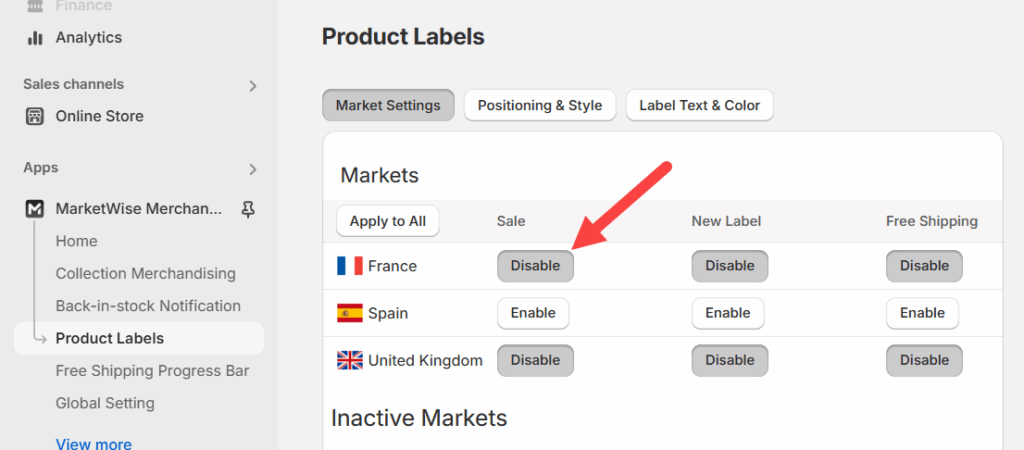
You can also use the Apply to All button at the top to apply the same label settings to all active markets at once.
How Each Label Type Works
- Sale: This label is applied to products that are on discount.
- Best Seller: Automatically applies to products with high sales volume in a specific market
- New Label: This is shown on newly created products. Products added within the last 21 days are marked as “New.”
- Free Shipping: This is based on the global threshold you define in the Global Settings tab. Products meeting the free shipping criteria will show this label.
These label settings are specific to each market, allowing you to tailor your promotions based on your audience.