
Collection Merchandising lets you show different product orders in each market. For example, you can show your bestsellers in France, newest items in the UK, and manually curated items in the US. All of this happens within the same collection.
You can manage sorting options for each market from the Collection Merchandising page in the MarketWise Merchandiser app.
To get started, click on the Collection Merchandising option from the left sidebar of your app.
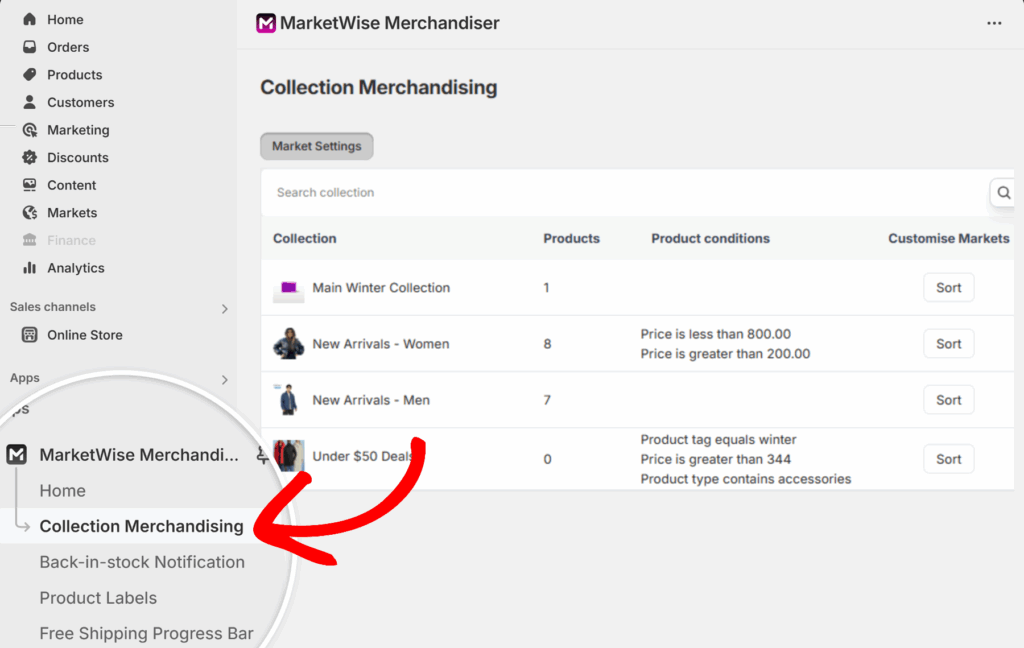
The page shows a list of all your store’s collections, along with the number of products in each and any product conditions applied.
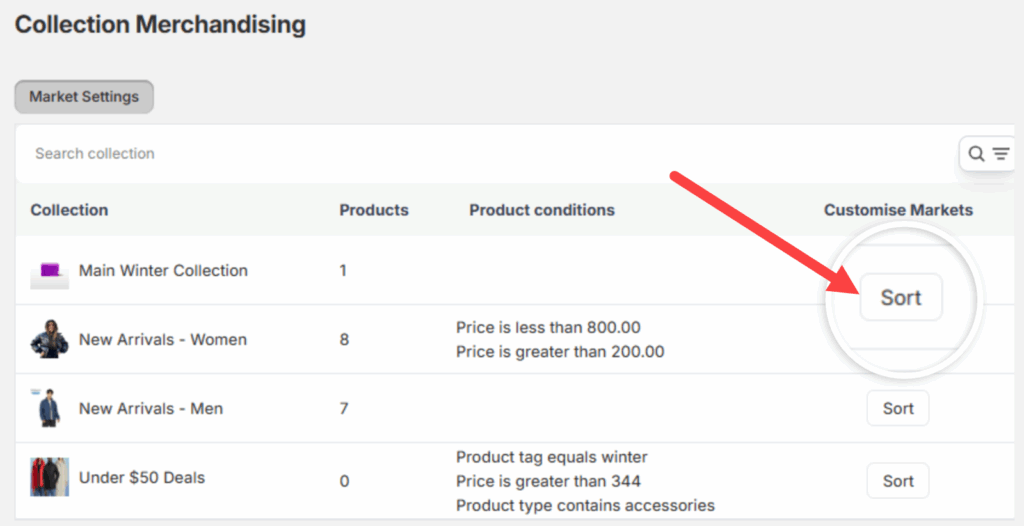
Under the Customise Markets column, click the Sort button next to the collection you want to adjust.
You’ll now see a list of your active markets. For each one, use the dropdown menu to choose how products should be sorted.
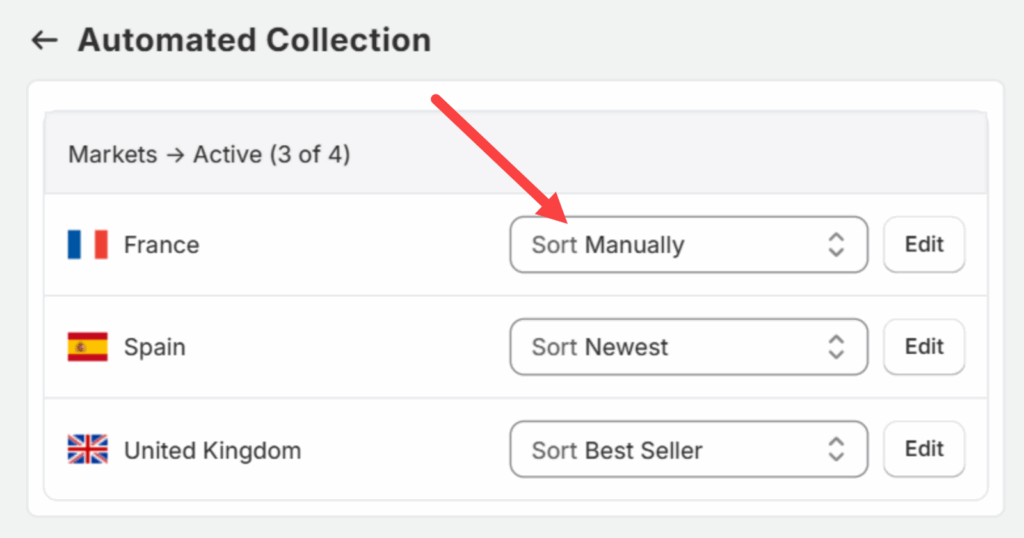
Available sorting options include:
- Best Seller
- Newest
- Manually
- Product Title A–Z
- Product Title Z–A
- Highest Price
- Lowest Price
- Oldest
When a sort method is selected, the products in that market’s storefront will update to match.
Note:
If you choose Manual, you can edit the product order directly. Learn more in Manually Sorting Products for a Specific Market.